


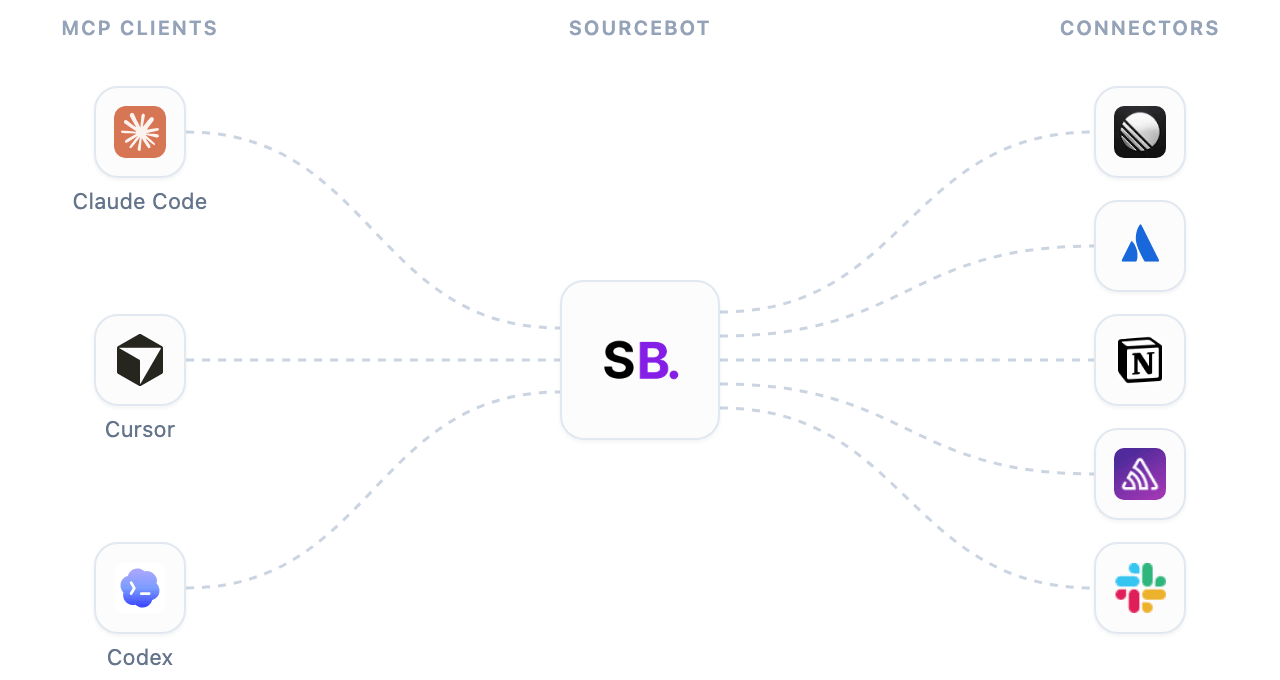
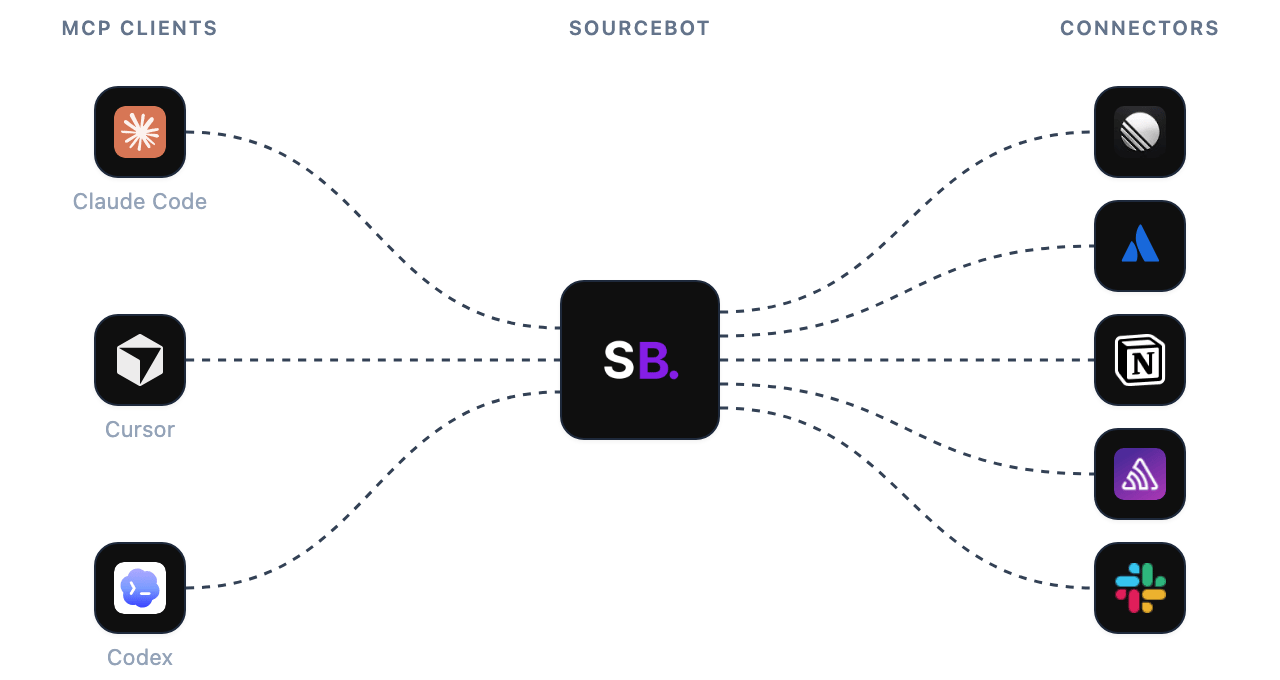
The MCP Gateway lets your MCP clients use your connectors, such as Linear or Jira, through the same Sourcebot connection they use for code. Owners add each connector once for the workspace, and each member connects their own account. Owners choose which connector tools are allowed. Ask Sourcebot and MCP clients follow the same rules.

How it works

MCP clients, such as Claude Code, Cursor, and Codex, connecting through Sourcebot to connectors such as Linear, Atlassian, Notion, Sentry, and SlackMCP clients, such as Claude Code, Cursor, and Codex, connecting through Sourcebot to connectors such as Linear, Atlassian, Notion, Sentry, and Slack
When an agent calls a connector tool, Sourcebot checks that the tool is allowed for you, then calls the connector with your own credentials. Your credentials stay in Sourcebot, and MCP clients never see them. A connector only returns data that your connected account can access.

Setup

Owners manage the MCP Gateway in Settings → Workspace → MCP Gateway. You can enable or disable each connector your workspace has added to choose which ones MCP clients can use. You can also disable the MCP Gateway entirely to keep every connector out of MCP clients.
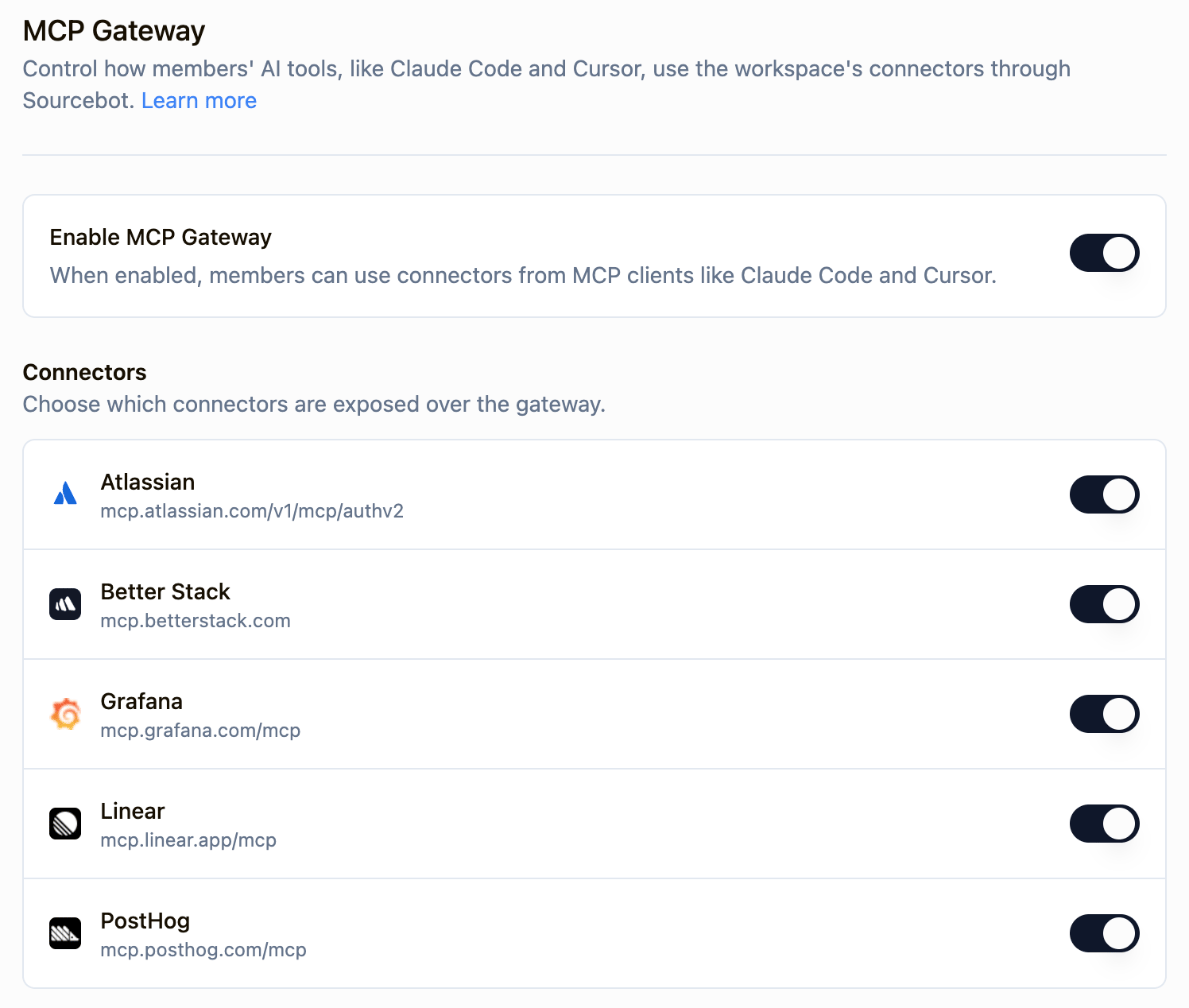
MCP Gateway settings with Enable MCP Gateway on and a switch for each connector
Which tools MCP clients can call is set per connector in Tool permissions.

Discovery

You don’t need to tell your agent which connectors you have. When your MCP client connects, Sourcebot describes your connectors and their tools, so when you ask about Linear or Jira, your agent knows which tools to use. If you ask about a connector you haven’t connected yet, your agent gives you a sign-in link with connect_connector. You confirm in Sourcebot, then sign in to the service.
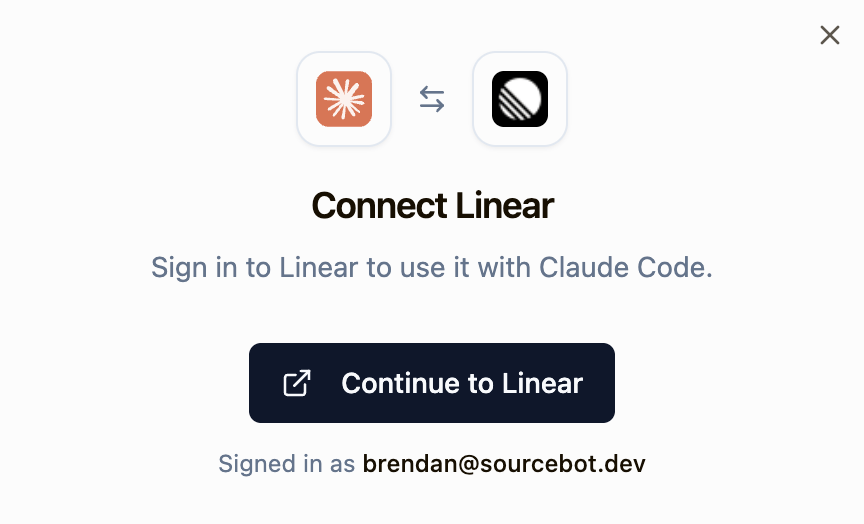
Connect Linear prompt in Sourcebot for Claude Code, with a Continue to Linear button

Next steps

Tool permissions

Choose which of each connector’s tools agents can use.

Setup a connector

Add the connectors your team uses, such as Linear or Jira.

Connect a connector

Share with members how they connect their own accounts.

Connector tools

See how connector tools appear in MCP clients.